Sideswipe Soccer Controls
Sideswipe Soccer controls run on a two-dimensional plane using mobile touch icons, PC keyboard inputs, or a connected gamepad.
Mobile Touch and Practice
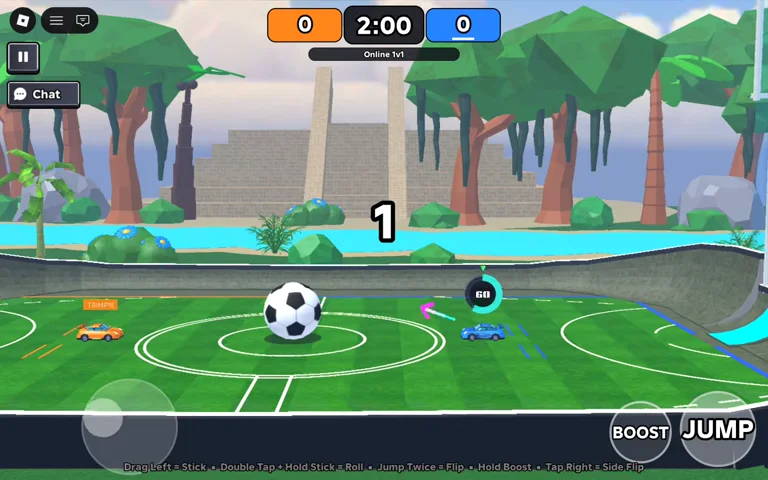
Public gameplay footage of the mobile interface displays a directional joystick on the lower left side of the screen. The lower right side features dedicated buttons labeled JUMP and BOOST. Airborne contact with the ball can trigger an on-screen Flip Hit notification during active play.
Start with the Training tile on the Play menu. The drill below gives you one input at a time to practice before a live match.
- Open the Play menu and select the Training tile.
- Drive toward the resting ball and make one controlled ground touch without boosting.
- Approach the ball a second time and press JUMP once to meet the ball at mid-height.
- Repeat the jump approach and tap BOOST briefly while tilting the joystick to direct your car into the airborne ball.
PC Keyboard and Controller Support
Roblox lists WASD, Space and Shift for PC and confirms controller support.
The developer listing does not publish an explicit default mapping tying Space or Shift to specific jump or boost actions, nor does it list default button assignments for console gamepads. We recommend entering the Training arena first when switching devices so you can verify how your specific hardware assigns movement, jumping, and boosting.